

A step-by-step plan for combining ambient, task, and accent lighting so your kitchen feels warm, looks intentional, and lights your real prep zones.
Smart kitchen faucets are one of those upgrades that sound a little extra… until you have raw chicken hands, a full stockpot, or a toddler “helping” you cook. Touchless and voice-activated models can genuinely make the sink area cleaner and more efficient, but they are not magic. They have power needs, quirks, and a few deal-breakers depending on how your sink and cabinets are set up.
Let’s break down what smart faucets actually do, what it takes to install them, and how to decide if they belong in your remodel budget.

What counts as a smart kitchen faucet?
Most “smart” kitchen faucets fall into two buckets:
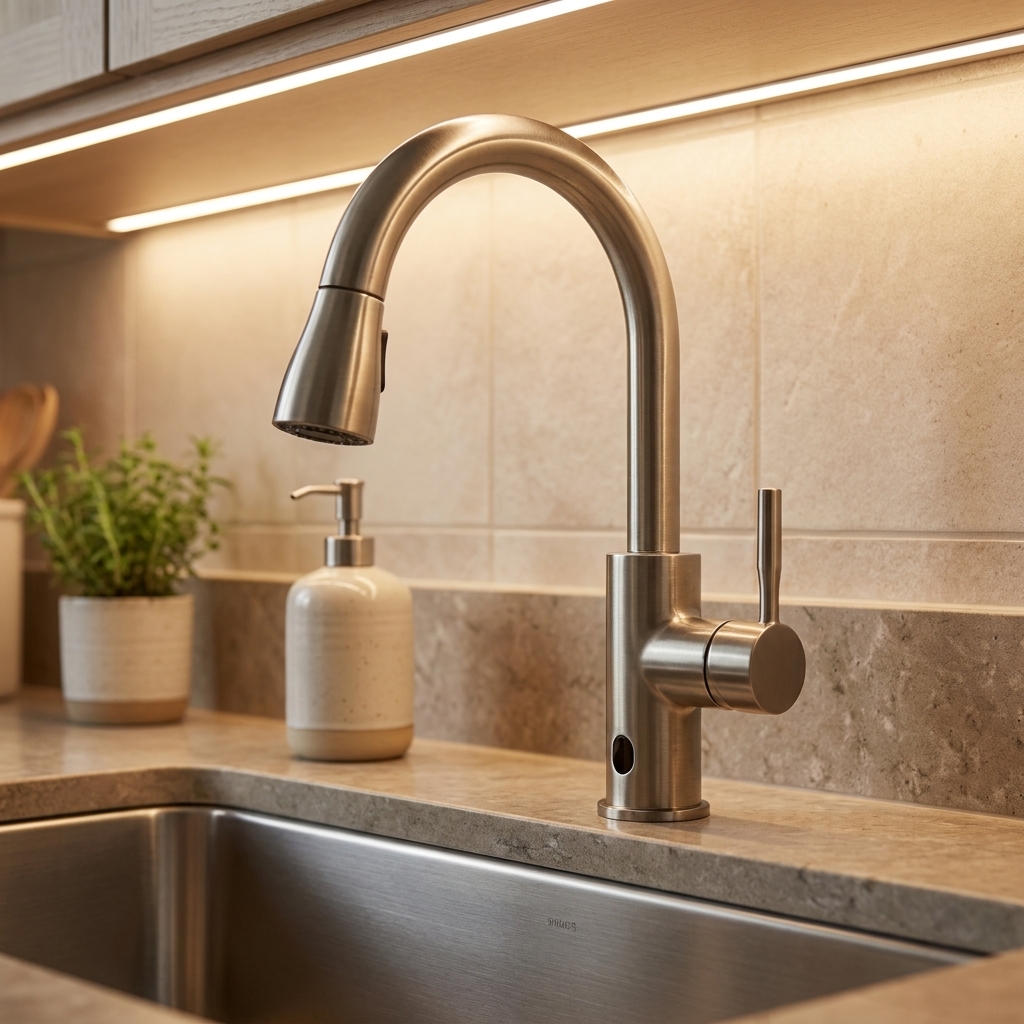
- Touchless (sensor-activated): You wave a hand or object near the sensor and the water turns on and off.
- Voice-activated: You give commands through a paired smart speaker or platform (commonly Alexa or Google Assistant), and the faucet turns on and off or dispenses water.
Some faucets include both, plus app-based setup, usage tracking, and leak or shutoff integrations. In real life, most homeowners use the touchless function constantly and the voice function occasionally.
Touchless faucets: pros and annoyances
Why people love them
- Cleaner handles: Less cross-contamination when cooking, baking, or handling raw meat.
- Faster workflow: Hands full, elbows busy, kid on hip. A wave is easier than gripping a handle.
- Less mess during cleanup: Turning the water off without touching anything is surprisingly satisfying when you are scrubbing greasy pans.
Common frustrations to know upfront
- Accidental activations: A pan passing by the sensor can trigger water. Some models let you adjust sensitivity or sensing range, but plenty are basically fixed, so read the specs and reviews.
- Temperature and flow still need a home base: Most touchless faucets require you to set the handle to your preferred temperature and flow, then the sensor toggles on and off at that setting. If you share a kitchen with people who like lava-hot rinse water, this can become a household negotiation.
- Battery changes: Many touchless faucets run on batteries. It is not hard, but it is one more thing to maintain.
Designer note from the jobsite: If you have a deep farmhouse sink and a big pull-down spray head, pay attention to where the sensor sits and how it reads motion. Placement and sensor quality matter more than people think.
Voice faucets: helpful, not for everyone
Voice faucets typically let you do a few specific things really well, depending on the model and ecosystem:
- Turn water on and off (great when your hands are messy)
- Dispense a measured amount like “two cups” or “one liter” (amazing for baking and formula bottles)
- Dispense a set temperature on models that support it (nice for tea, baby bottles, or consistent dishwashing)
Where voice activation can disappoint is the everyday reality: kitchens are noisy, people talk over each other, and not everyone wants a faucet that listens. Voice features can also be limited if your Wi-Fi is unreliable or if your smart home ecosystem changes.
One important architecture note: “Voice-enabled” does not always mean the faucet itself has Wi-Fi. Many systems rely on a separate hub or bridge (sometimes included, sometimes sold separately) that connects to your router and talks to the faucet. If you are buying for voice features, confirm whether a hub is required and where it will live under the sink.
My practical take: Voice is a nice to have if you already use Alexa or Google Assistant daily. If you do not, buy the faucet for the touchless performance first, not the voice promise.
Power and installation basics
Smart faucets need power for sensors and the solenoid valve, and voice systems may also involve a hub or module that needs power and a network connection. There are usually two power routes:
1) Battery power
- Pros: No outlet required. Easier in older kitchens.
- Cons: You will replace batteries. Frequency depends on use, battery type, and model. Keep the battery pack accessible and off the cabinet floor if your sink base is prone to minor drips.
2) Plug-in adapter (AC power)
- Pros: No battery swapping. Often more consistent performance.
- Cons: You need an outlet in the sink base. If you do not have one, adding a GFCI-protected outlet can be an electrical project and may require a licensed electrician and permits depending on your local code and what work is involved. When in doubt, check with your local building department or electrician.
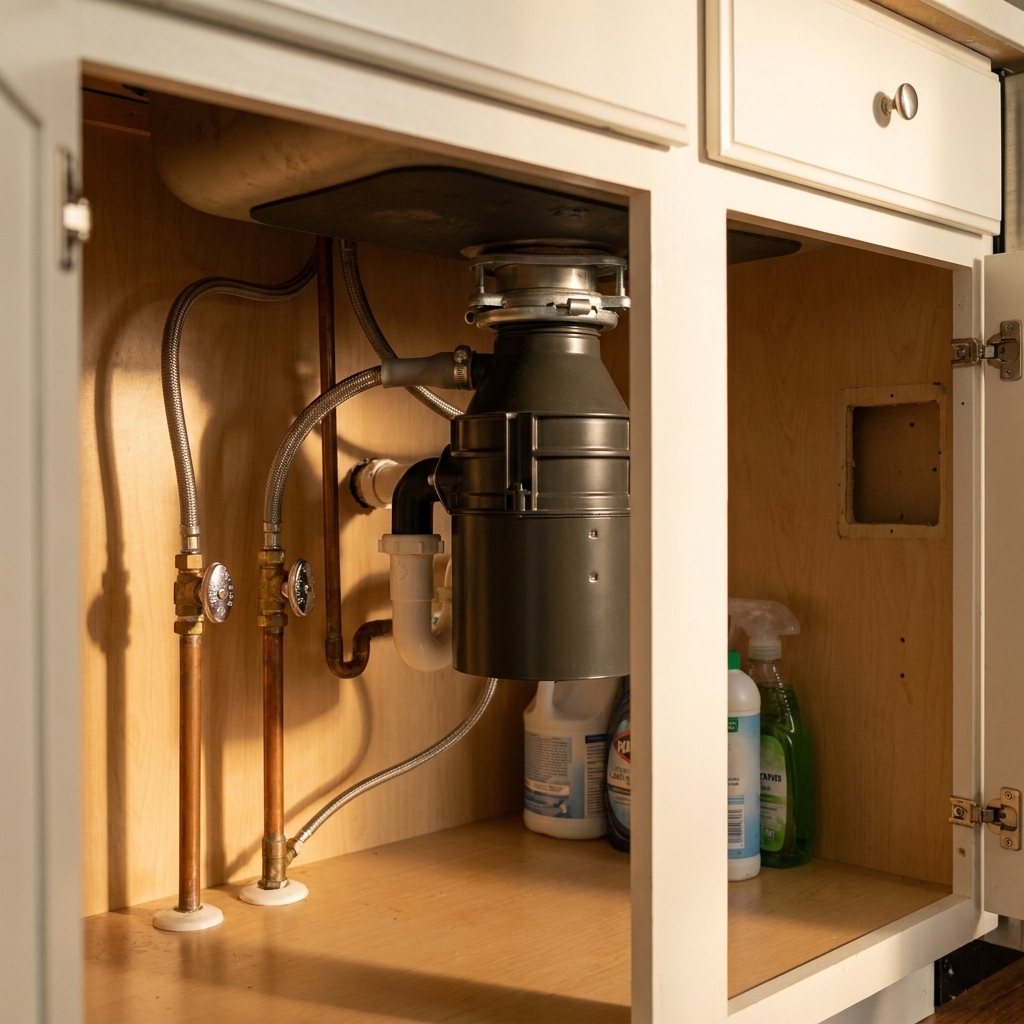
Cabinet reality check: Under-sink space gets crowded fast. Between the garbage disposal, hot water dispenser tank, filtration, pull-out trash, and cleaning supplies, you need room for the faucet control box and power pack (and possibly a hub). If you are tight on space, plan storage accordingly.
Compatibility checklist before you buy
Before you fall in love with a finish, run through these practical items:
- Sink holes: Do you have 1-hole, 2-hole, 3-hole, or 4-hole drilling? Many faucets can adapt with deck plates, but not all setups look clean.
- Countertop thickness: Extra-thick countertops (or thick sink ledges) sometimes require longer mounting hardware.
- Power and outlet plan: Battery pack, plug-in transformer, hub, filter, disposal. Make sure you have a place for everything and enough outlets if you are going plug-in.
- Hub or bridge requirements: If you want voice features or advanced measured dispensing, confirm whether your faucet requires a brand-specific hub or bridge, whether it is included, and whether it plays nicely with your preferred smart assistant.
- Water pressure: Smart faucets should work in normal residential ranges, but weak pressure makes any faucet feel disappointing. If your pressure is poor, solve that first.
- Hot water wait time: No faucet can fix long hot-water lag. If your kitchen is far from the water heater, consider a recirculation option or point-of-use heater as a separate discussion.
- Filtration integration: If you want filtered water at the same fixture, check whether you need a separate filter faucet, an integrated filtered model, or a compatible under-sink system.
Cost and value
Smart faucets cost more than standard pull-downs, and the price jump is not just “because technology.” You are paying for sensors, electronics, and a solenoid valve, plus the engineering it takes to make all of that reliable around water. That said, build quality varies by brand and tier, so do not assume “smart” automatically means “premium.”
Typical price ranges
- Standard pull-down faucet: roughly $150 to $400 for solid, mainstream options (designer models can go higher)
- Touchless faucet: often $250 to $600
- Touchless plus voice or advanced dispensing: commonly $450 to $900+ (and sometimes more), especially if a hub is involved
Installation cost can also increase if:
- You need to add an outlet under the sink
- Your shutoff valves are old and should be replaced
- Your sink base is cramped and requires more labor time
Where value shows up: If you cook often, entertain, or have kids at the sink all day, a touchless faucet can feel like a daily quality-of-life upgrade. If you barely cook and you are remodeling on a strict budget, you will likely get more happiness from better lighting or smarter storage.
Maintenance, reliability, and privacy
Cleaning and finishes
Touchless faucets can stay cleaner because you touch them less, but hard water still leaves spots. If you have mineral-heavy water, pick a finish you can live with when it is not freshly wiped down. Matte and brushed finishes tend to hide spots better than high-polish.
Electronics and failure modes
Any faucet can fail, but adding electronics adds more potential points of failure. Stick with reputable brands with solid parts availability and warranty support.
Also, understand what “manual mode” really means on the model you buy. Some faucets let you use the handle like a normal faucet even if the sensor system is off. Others still rely on the solenoid to open water flow, which means a failure can be more than an annoyance. This is a spec worth confirming before you commit.
Battery and reset reality
Choose a model with:
- Easy access to the battery pack or power module
- A true manual use option or a clear bypass procedure if the electronics act up
- Clear indicator lights or alerts for low battery
Privacy and smart home considerations
If you use voice control, the faucet itself is usually not the microphone. Your smart speaker or phone is. That means your voice commands may be processed through your smart assistant platform and, depending on the setup, a brand app or cloud connection. If that makes you uneasy, stick to touchless only, use physical controls, or set up voice in a way you are comfortable with (for example, muting microphones when you are not using them, tightening account permissions, and using household voice profiles if available).
Who should upgrade and who should skip
Upgrade makes sense if you…
- Cook frequently and hate touching dirty handles
- Have kids who constantly leave the water running
- Entertain often and want faster sink workflow
- Are doing a full remodel and can plan power and storage cleanly
- Have mobility or grip issues and want easier control (touchless can be a real win here, as long as manual operation is still comfortable when you need it)
Consider skipping if you…
- Are trying to keep the remodel firmly budget-focused
- Have extremely limited under-sink space and already need filtration and a pull-out trash system
- Live in a rental or plan to move soon and will not recoup the cost in daily use
- Strongly prefer simple fixtures with minimal electronics
Shopping tips from someone who has installed way too many faucets
- Prioritize the manual faucet first. Even smart faucets should feel great as a regular pull-down: smooth handle, solid docking, comfortable spray switch.
- Look for a reliable spray head dock. A droopy sprayer makes a kitchen look tired fast, no matter how fancy the sensor is.
- Check sensor placement. Top-mounted sensors and well-aimed front sensors tend to be less trigger-happy than poorly placed ones.
- Plan your under-sink layout early. If you want pull-out trash, filtration, and a smart faucet, sketch the sink base like it is a tiny mechanical room. Because it is.
- Confirm warranty and parts support. A long warranty is nice, but easy-to-source parts are nicer.
- Confirm hub requirements before you buy. If voice, measured dispensing, or temperature presets are a must for you, verify exactly what is required to make those features work in your home.
My bottom line
Touchless: worth it for many households, especially if you cook often or want a cleaner sink area with less handle gunk. It is one of those upgrades you notice every day.
Voice-activated: worth it if you already like smart home routines or you bake and measure water constantly. Otherwise, it is optional. I would rather you spend that extra money on great under-cabinet lighting or a faucet with a rock-solid spray head and finish.
If you want a high-tech kitchen that still feels practical, my favorite approach is simple: buy the best touchless faucet you can comfortably afford, then treat voice features as a bonus, not the main event.
FAQ
Do touchless faucets save water?
They can. The biggest savings usually comes from faster shutoff and fewer “oops I left it running” moments. Real-world savings depend heavily on household habits, and your flow rate is still governed by the faucet’s aerator and local efficiency rules.
What happens if the power goes out?
Many models still allow manual use via the handle, even if the sensor or voice functions are down, but “manual” is not identical across brands. Confirm the faucet can still run water without power in the way you expect before buying.
Are smart faucets safe around kids?
They can be, but read the features carefully. Some models allow temperature presets or safety limits, which I love. Without limits, a kid can still turn the handle to hot and activate the sensor.
Can I install one myself?
If you have installed a standard faucet before and your shutoff valves work, many touchless faucets are DIY-friendly. The gotchas are tight spaces, corroded fittings, hub placement, and adding a power outlet. If anything under the sink looks questionable, it is worth calling a pro before a small upgrade becomes an emergency plumbing day.